
En strukturerad arbetsyta som håller samman varje ärende och dess sammanhang. Juridiskt arbete som pågår under längre tid ryms sällan i en enda konversation. Ett ärende kan pågå i flera veckor och omfatta mängder av dokument och frågor, vilket gör det lätt att tappa sammanhanget längs vägen. Med Projekt i Blendow-Noxtua kan du samla allt som hör till ett ärende på ett och samma ställe och fortsätta arbeta i rätt sammanhang varje gång du återvänder.
Vad är Projekt?
Ett Projekt är en särskild arbetsyta för ett enskilt ärende, en transaktion, en juridisk rättsutredning eller ett internt projekt. Där samlar du allt som hör till arbetet på ett och samma ställe: dina konversationer med Blendow-Noxtua, dokument som du laddar upp, information och sammanhang som du tillför samt det material du skapar.
Du skapar ett Projekt via projektöversikten. Därefter tar varje ny chatt som du startar i projektet automatiskt hänsyn till den information och de filer som du har lagt till när svaren genereras. Du behöver alltså inte ladda upp samma dokument på nytt eller upprepa dina instruktioner i varje konversation. Projektet håller informationen och filerna tillgängliga så att du kan fortsätta arbeta i rätt sammanhang.
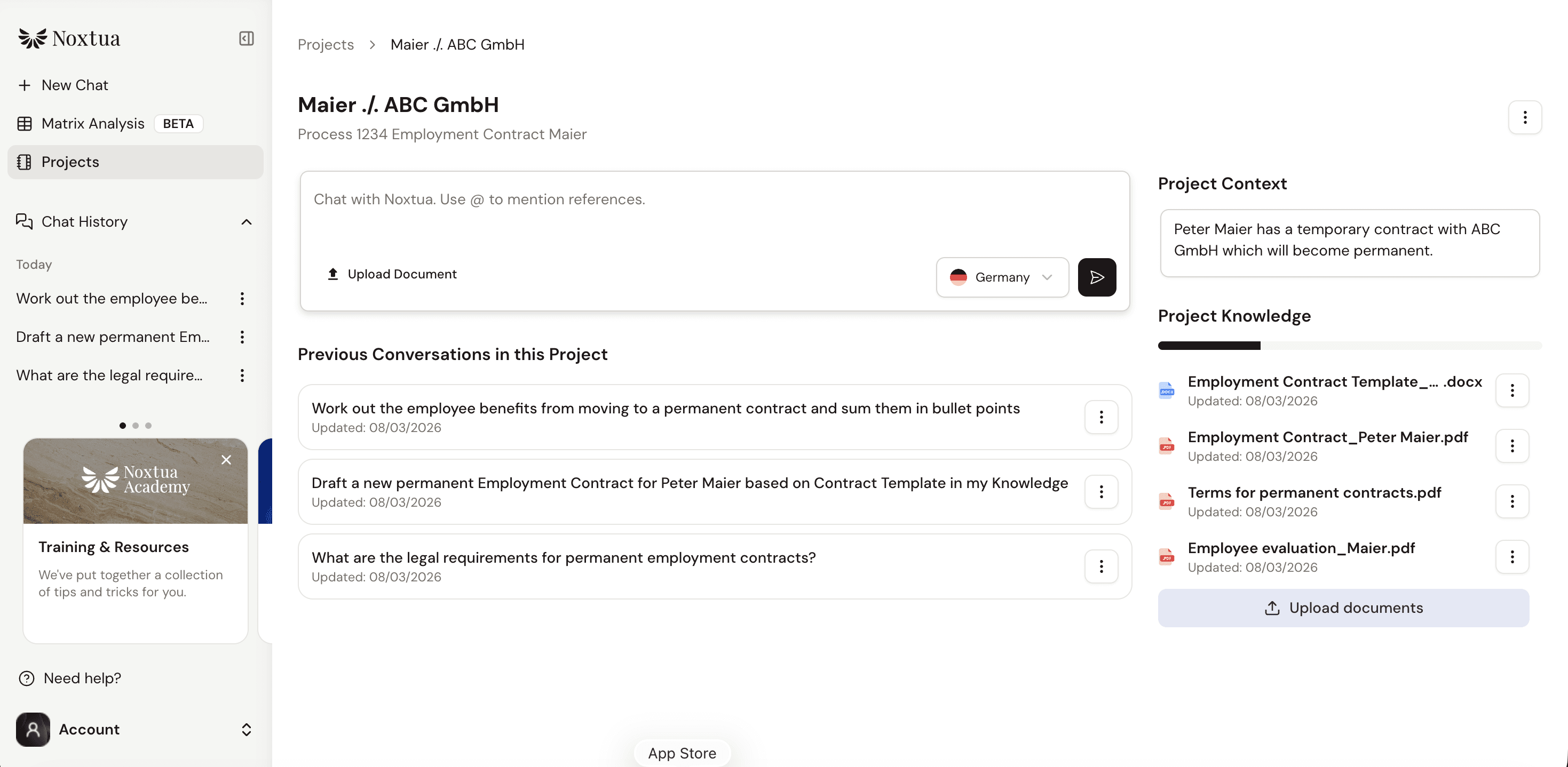
Eftersom varje Projekt har sitt eget sammanhang hålls dina olika ärenden tydligt åtskilda. Information från ett ärende förs inte över till ett annat.
Dina Projekt lagras på servern och är tillgängliga när du loggar in i Blendow-Noxtuas webbapp, oavsett vilken webbläsare eller enhet du använder. Åtkomsten styrs av de behörigheter du redan har som användare och inom din organisation.
Vanliga användningsområden för Projekt
Organisera efter ärende: Samla relaterade konversationer, dokument och annan relevant information i ett och samma projekt - oavsett om det gäller en klient, ett ärende, en transaktion, en juridisk rättsutredning eller ett internt projekt. Allt som hör till arbetet finns samlat på ett och samma ställe.
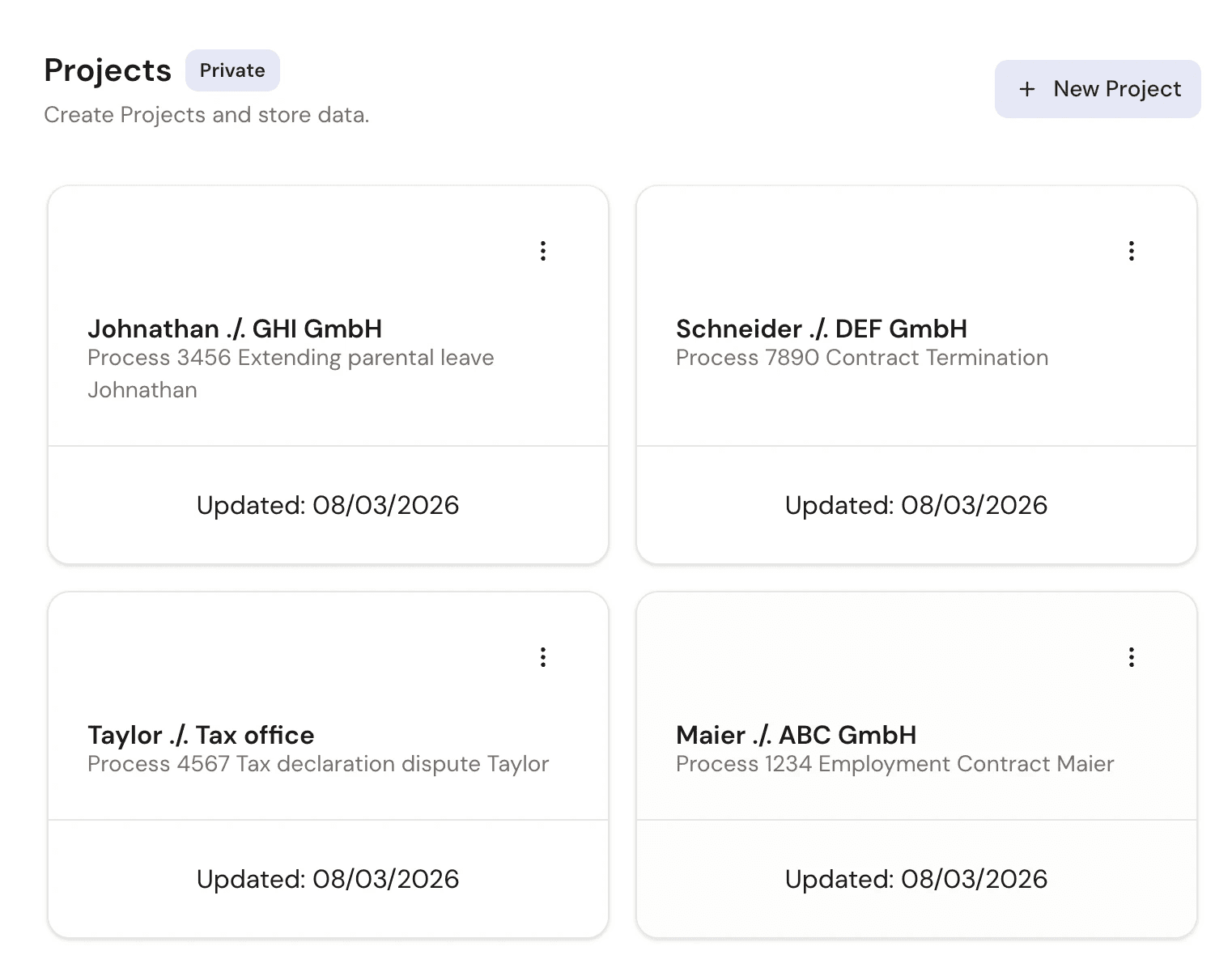
Behåll sammanhanget mellan chattar: Lägg till filer och instruktioner i ett projekt en gång, så finns de tillgängliga i alla chattar inom projektet. Det ger konsekventa svar på relaterade frågor, utan att du behöver ladda upp samma avtal på nytt eller upprepa samma bakgrundsinformation i varje ny konversation.
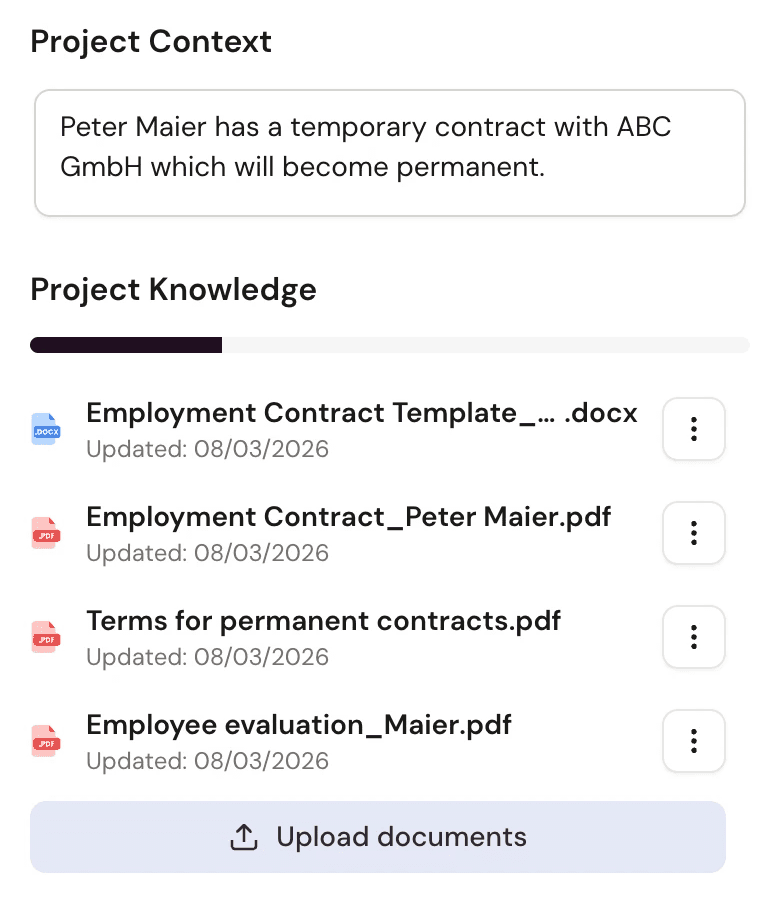
Kontinuitet i arbetet: Återuppta ett ärende efter några dagar eller veckor och fortsätt där du slutade. Alla chattar, dokument och resultat finns kvar i projektet, så att du enkelt kan gå tillbaka till hela ärendets historik.
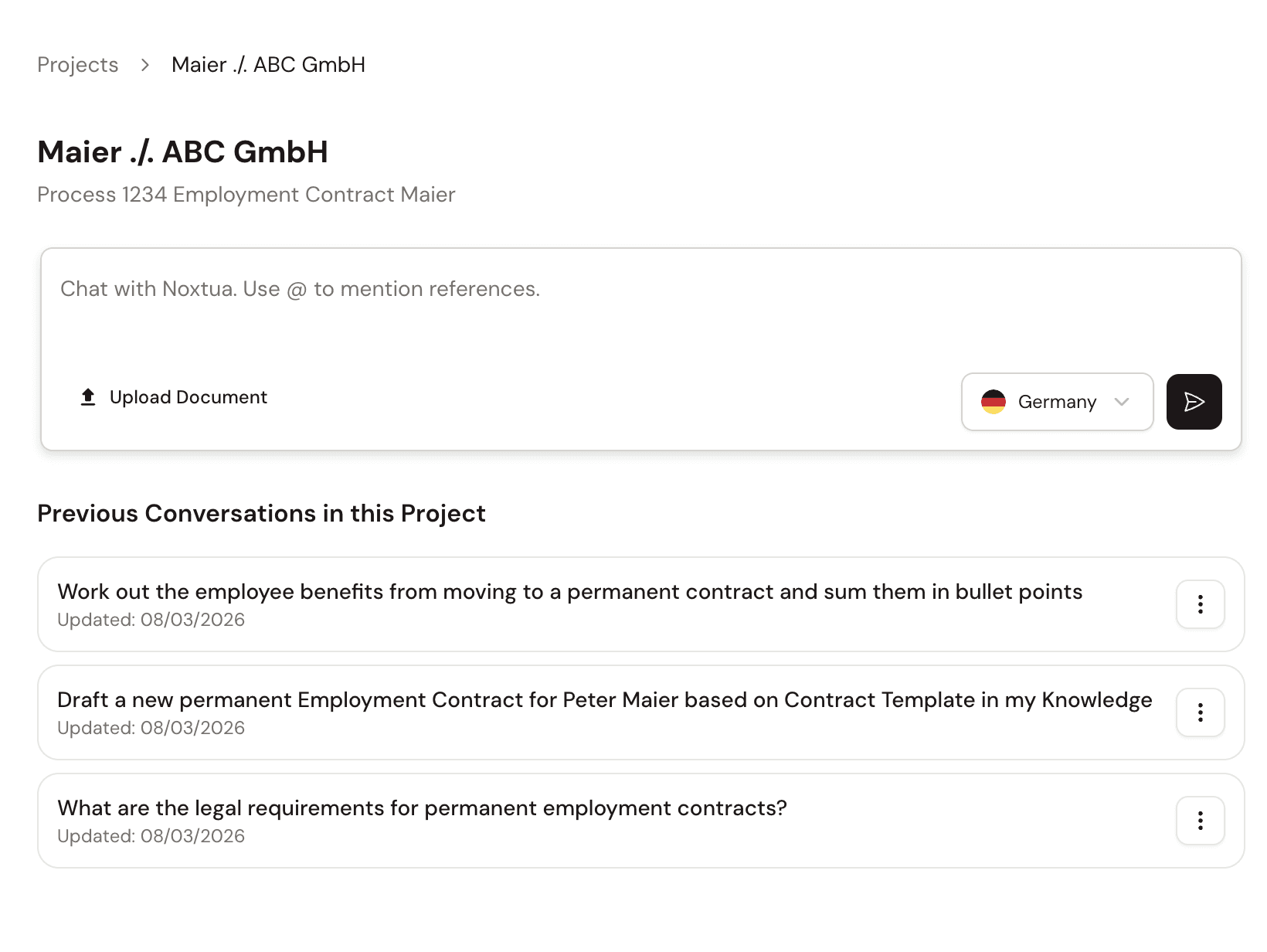
Håll ärenden åtskilda: Varje projekt har sitt eget sammanhang, så att parallella ärenden aldrig blandas ihop. Du kan vara trygg med att svaren endast utgår från den information och bakgrund som hör till det aktuella ärendet.

Hur man skapar och använder ett Projekt
Öppna Projekt. Välj Projekt i huvudmenyn. Då öppnas projektöversikten. Om du inte har skapat några projekt ännu är översikten tom och redo för ditt första projekt.

Skapa ett projekt. Skapa ett nytt projekt och ange sedan ett namn och en beskrivning. Namnet måste innehålla minst fem tecken. Båda fälten är obligatoriska. Ett tydligt namn och en beskrivning gör det enklare att hitta och känna igen projektet i projektöversikten.

Lägg till kunskap och sammanhang. Öppna projektet och lägg till de filer som ska användas under Projektkunskap, tillsammans med information och instruktioner som är specifika för projektet. Blendow-Noxtua använder sedan detta i alla chattar inom projektet. Du behöver därför bara lägga till informationen en gång, i stället för att upprepa den inför varje ny fråga.
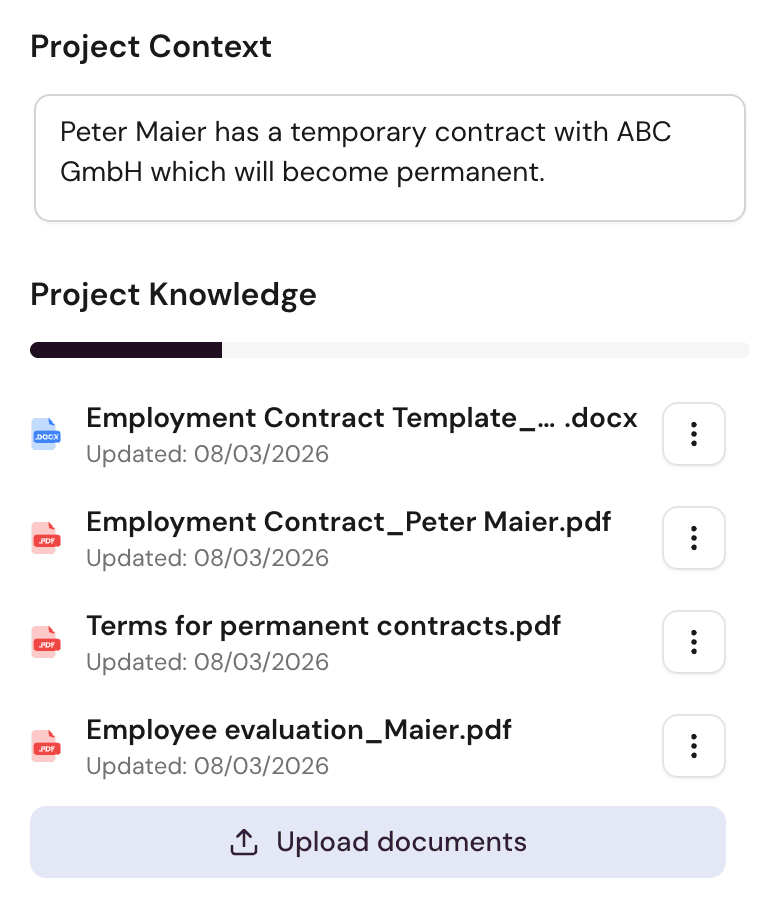
Arbeta i projektet. Starta en chatt i projektet och ställ din fråga som vanligt. Blendow-Noxtua genererar svaret tar tjänsten hänsyn till projektets sammanhang och filer, så att varje svar utgår från all relevant information som finns samlad i projektet. Detta gäller för varje ny chatt som du startar inom projektet.
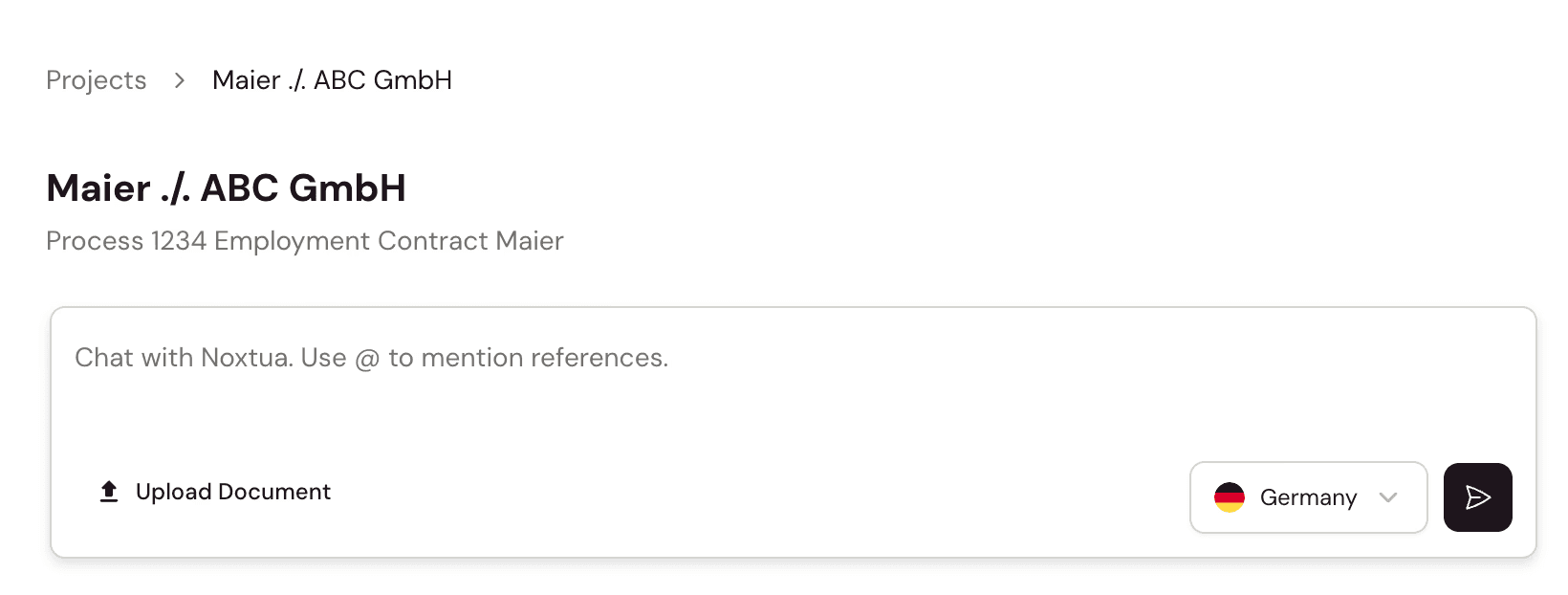
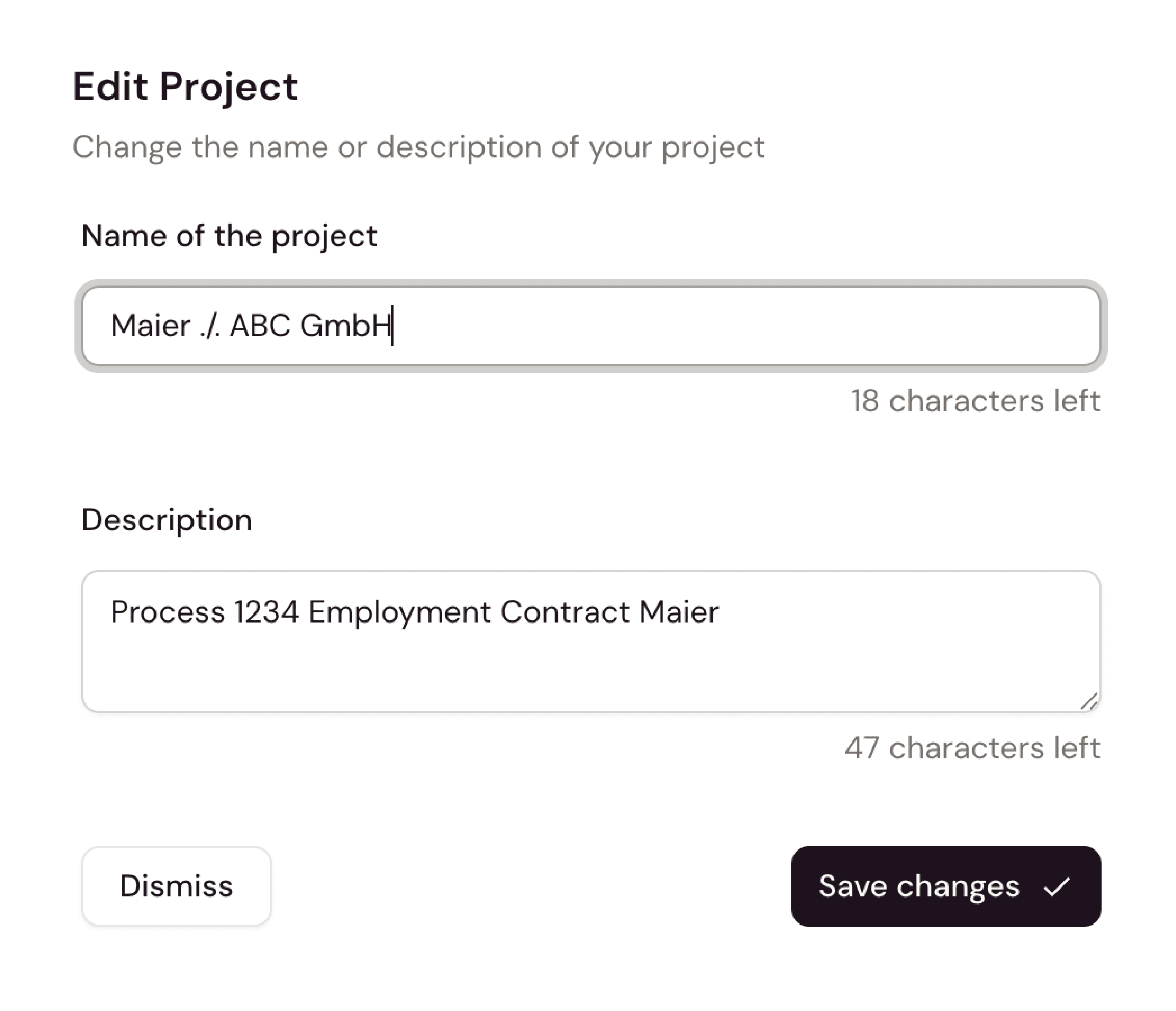
Håll projektet uppdaterat. Byt namn på projektet eller uppdatera projektinformationen när ärendet förändras. I projektöversikten kan du sortera dina projekt efter senast uppdaterade eller skapandedatum för att snabbt hitta det projekt du söker.
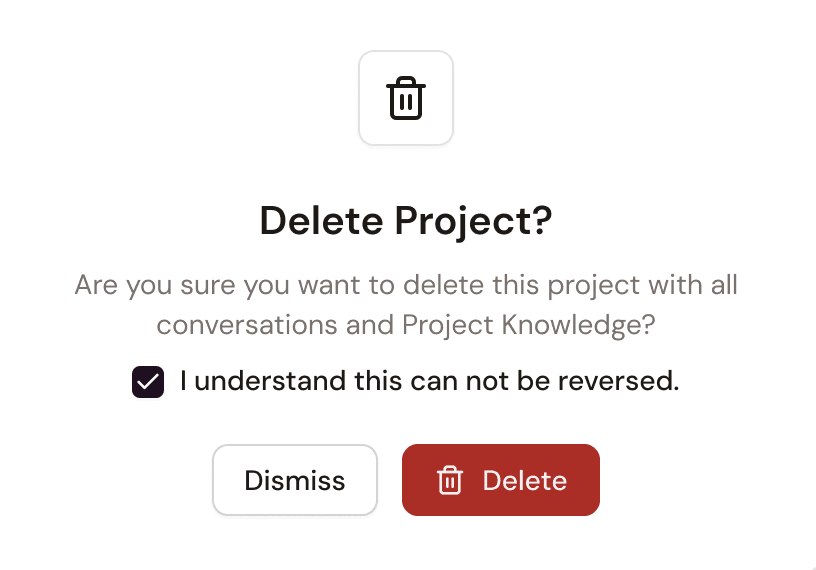
Ta bort ett projekt
När ett ärende är avslutat kan du ta bort projektet. Tänk på att ett projekt som har tagits bort inte kan återställas. Kontrollera därför att du inte längre behöver projektets chattar, filer eller resultat innan du tar bort det.

Lina Hauschild