Getting started with Noxtua
Everything you need to know to be able to use Noxtua productively from day one.

Welcome to Noxtua! We're glad you've chosen Europe's secure and sovereign Legal AI. In this article, you'll find everything you need to get up and running from day one – quickly and without any complex setup.
Logging in to Noxtua
To log into Noxtua, go to app.noxtua.com and select your jurisdiction-specific provider.
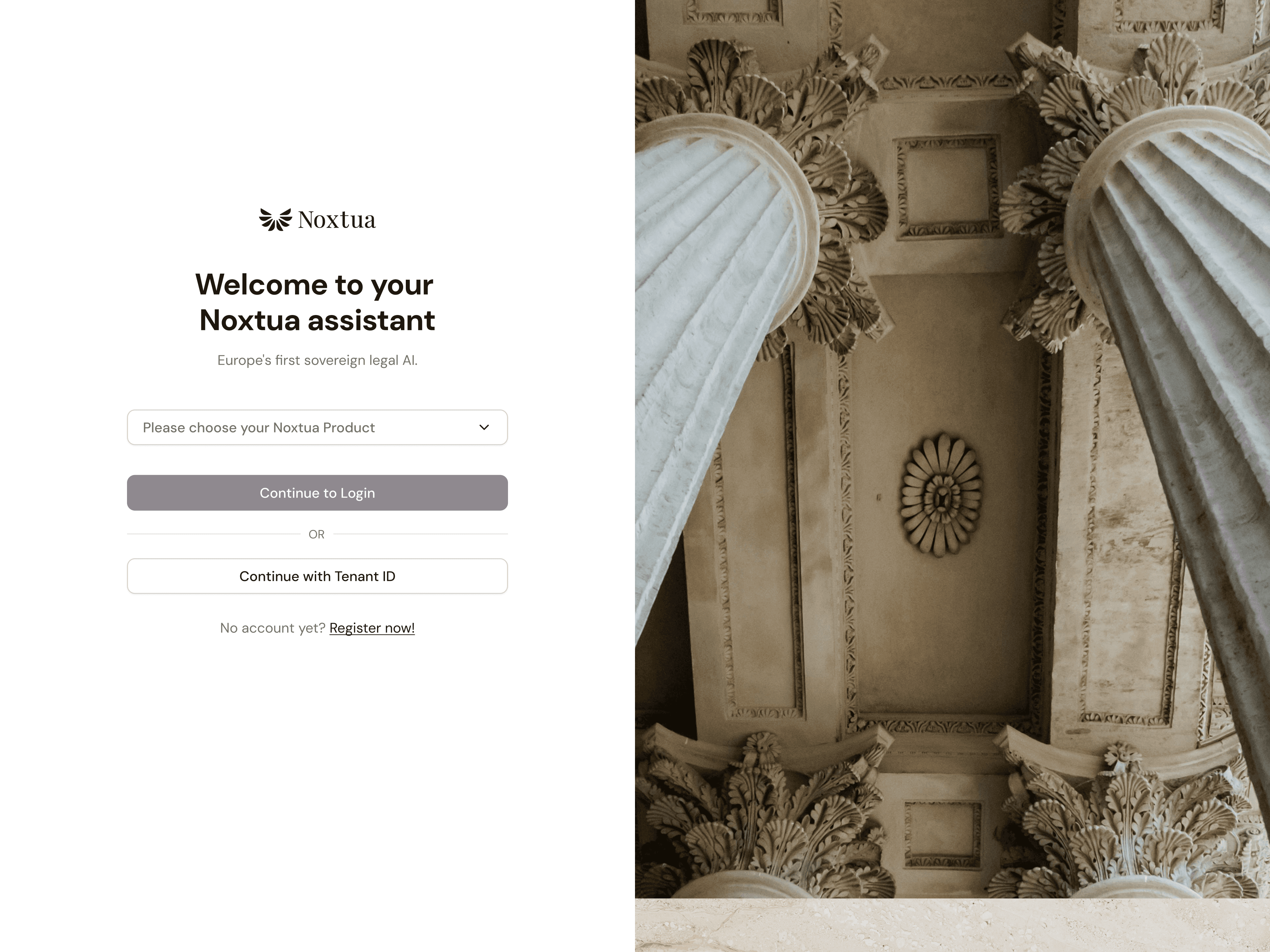
Option 1: Login via your legal publisher (if available)
If your Noxtua license is linked to a legal database partner, such as beck-online in Germany, you can log in directly using your existing credentials for that platform. Simply select the corresponding login option on the sign-in page, and you will be redirected automatically.
Option 2: Login via Tenant ID
Your Tenant ID is the unique identification code for your Noxtua account, which you will have received from or can request through your account manager. Enter your Tenant ID in the login field to sign in with your email and password.
Two-factor authentication (2FA)
If your organization has enabled two-factor authentication, you will need an authenticator app (e.g., Google Authenticator or Microsoft Authenticator). Scan the QR code displayed with the app and enter the generated code – your account is then optimally protected.
Interface language
The language of the Noxtua interface is automatically set based on the language configured in your web browser.
Core use cases and features
Noxtua supports you in three core areas of your legal work:
Research: Ask legal questions directly in the chat and receive answers in seconds, backed by verified sources from integrated databases of legal publishers.
Review: Upload documents and have them analyzed, reviewed, or summarized by the AI – with direct citations from your original document or jurisdiction-specific legal data.
Drafting: Create and edit legal documents such as memos, contract drafts, or legal opinions with AI assistance, directly in Noxtua or in Microsoft Word.
To help you work more efficiently and get the best possible answer quality, here is an overview of the most important features:
In the chat field

Chat field
The chat field is the central place where you interact with the Legal AI. Simply enter your prompt, submit it, and Noxtua will generate a response within seconds.
Find prompting tips and inspiration
Voice input
If you prefer, you can also dictate your prompts instead of typing them. That’s especially helpful when it's longer text, when you need a response fast, or when you're on the go.
Document upload
If Noxtua needs one or more documents for your task – for example, to review a contract or as a reference for drafting – you can either drag and drop them into the chat field or upload them using the upload button.
Learn more about document upload
Please note that Noxtua adheres to the highest data protection standards, so there is no need to anonymize documents or information before uploading. More on this in the "Data protection and compliance" section below.
Templates
Templates are saved prompts that have proven effective and can be used for recurring tasks such as contract reviews or compliance checks. Your organization can create its own templates, and Noxtua also provides a number of pre-built templates to help you get started quickly.
Editor
The Editor allows you to draft legal documents such as memos, contract drafts, or legal opinions directly in Noxtua with AI assistance – refining them iteratively before exporting the final version.
Jurisdictions
Noxtua not only allows you to access legal data from one jurisdiction but also offers a Europe License to access content from other European countries and publishers.
Learn more about the Europe License
Beyond the chat field
New chat
If you want to start a new task or project, you can start a new chat at any time by clicking the "New Chat" button in the top right corner.
Chat history
Your previous chats are listed in the left sidebar. They are stored locally on your device and can be individually named to help you find past work more easily.
Matrix analyses
Noxtua allows you to analyze multiple documents simultaneously in a table format using matrix analyses – ideal for due diligence, contract management, or compliance reviews. The "Matrix Analysis" button is located at the top of the left sidebar.
Learn more about matrix analyses
Template role management
Account admins can assign or revoke the template manager role for other users within the organization directly in the settings, giving you control over who can create and edit templates.
Learn more about role management
Word Add-in
Like most legal professionals, you likely work with Microsoft Word. With the Word Add-in, you can integrate Noxtua's Legal AI directly into Word to revise text passages, research legal questions, and track changes – all AI-powered and without switching applications.
Learn more about the Word Add-in
Data protection and compliance
Legal data is sensitive and deserves appropriate protection. Noxtua processes all data exclusively on European servers, independently of U.S. cloud providers and in full compliance with the GDPR. Your prompts and documents remain within your account at all times and are never shared with third parties or used to train the AI.
All security and compliance certifications
Learn more about security and compliance
Good to know about AI answers
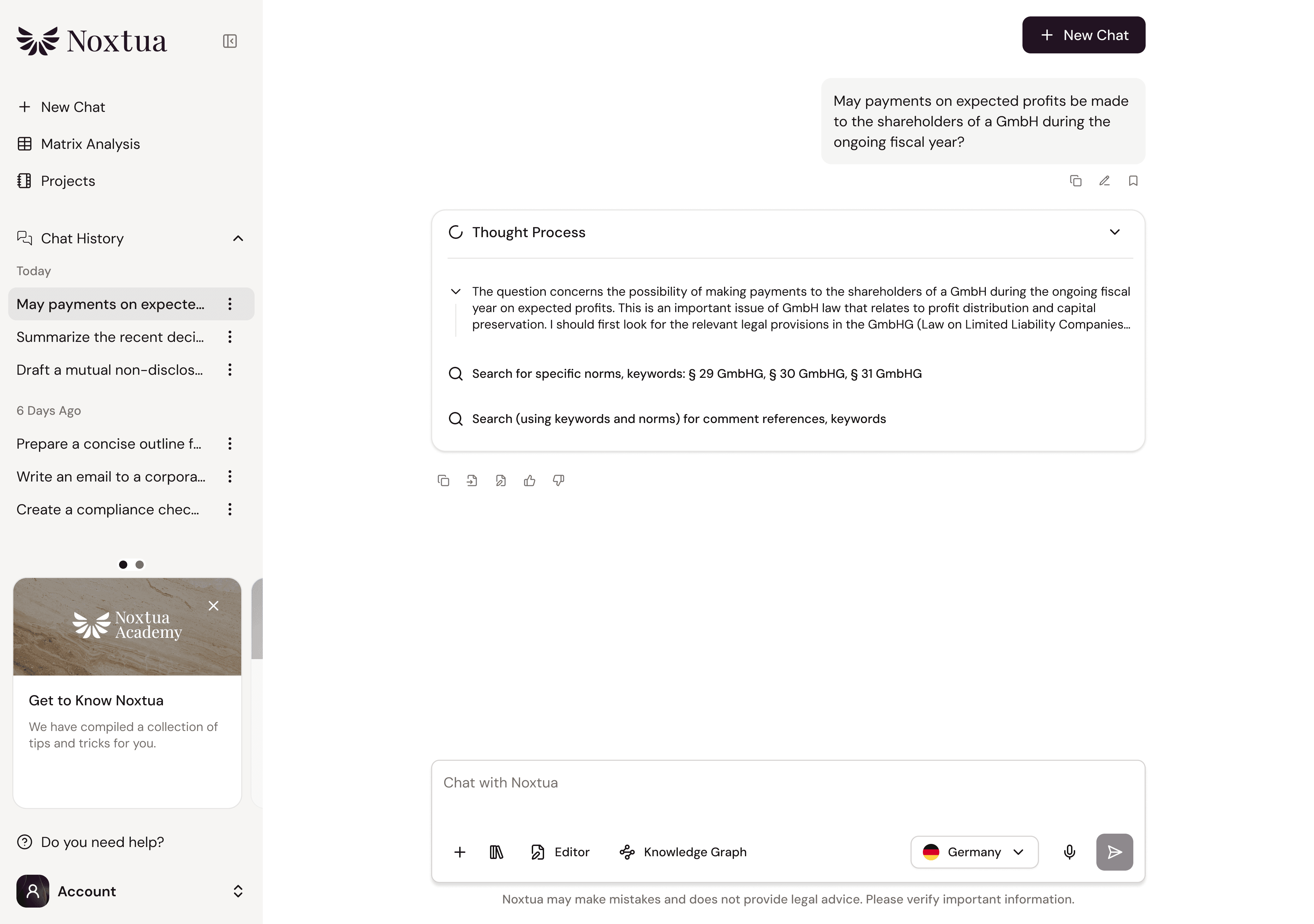
Thought process
Before delivering a response, Noxtua works through a thought process that is displayed directly below your prompt. This helps the AI analyze your request and develop a structured solution, and gives you the transparency to follow along and evaluate the results.
Please note that the thought process may appear in English even if your prompt is in another language. This is not an error; it simply allows the AI to process information more efficiently and precisely in English.
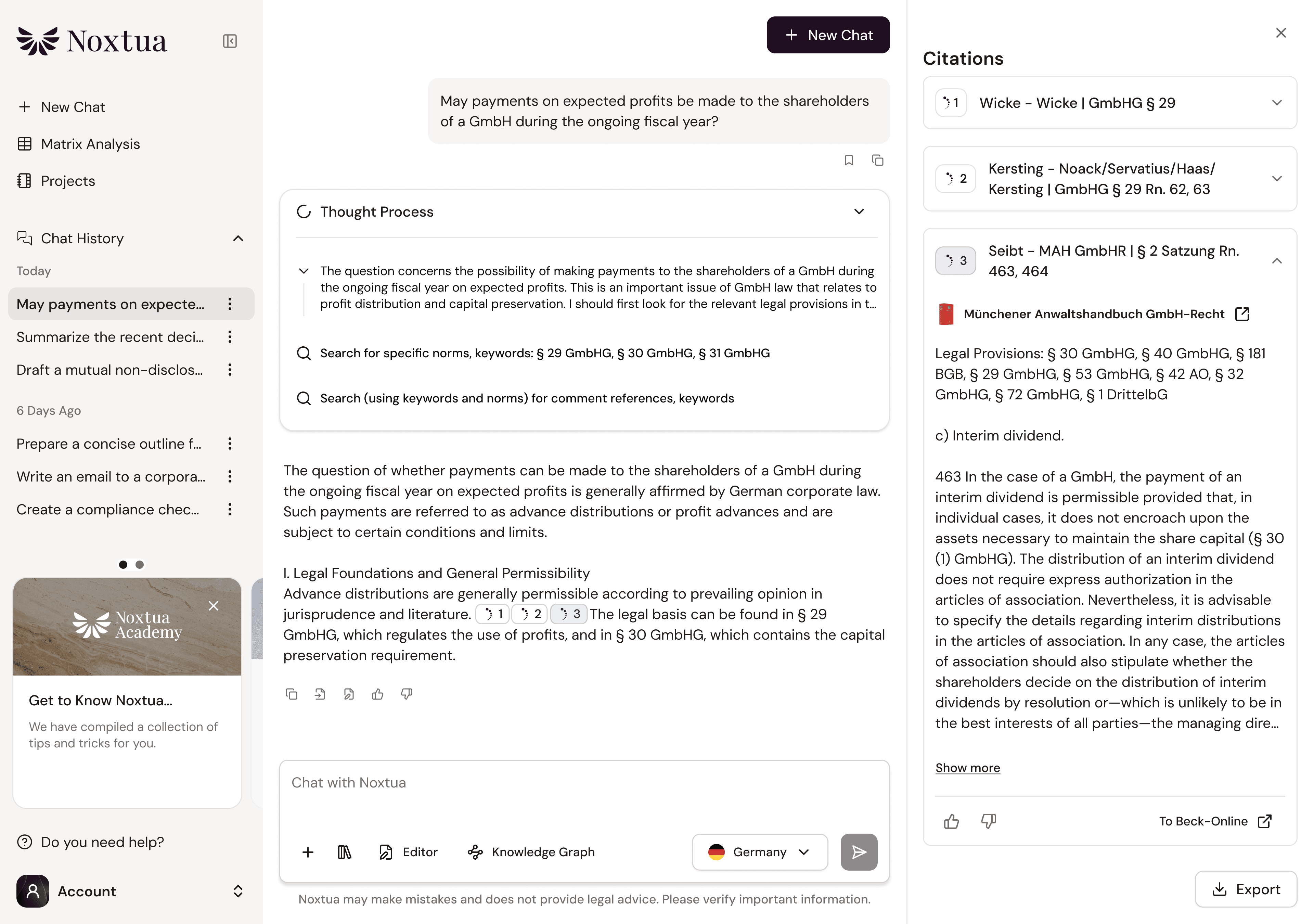
Source references from your jurisdiction
Noxtua backs its answers with verified sources from integrated legal databases. These appear as small numbered boxes directly after the relevant statements. Clicking on one opens an overview of all references on the right side of the screen – with a preview and the option to open the full text directly in the database of the respective legal publisher.
Learn more about source references
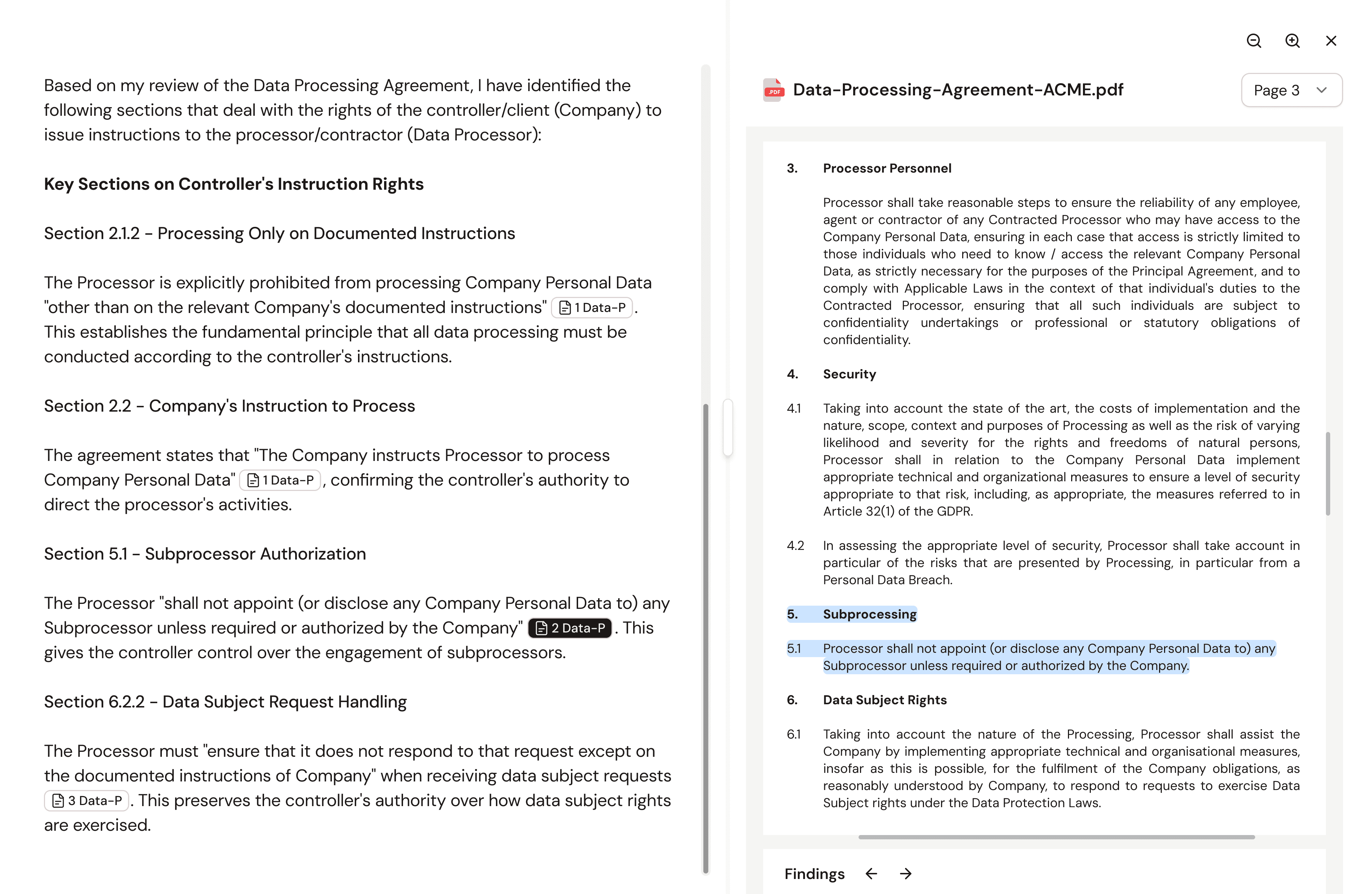
Citations from uploaded documents
When you upload your own document for review or analysis, Noxtua references the relevant passages directly in its response. Clicking on a citation opens your document in split-screen mode, with the exact passage already highlighted.
Learn more about document citations
Further questions?
The Noxtua Academy offers many more articles and videos covering features and tips to help you get the most out of our Legal AI. You're also welcome to browse our FAQs.
For specific questions, please contact the support team of your regional publisher (contractual partner).
This was a first introduction to Noxtua to give you a smooth and quick start with our Legal AI. We wish you every success using Noxtua in your legal work.

Dennis Engelhard