Citations from the current Word document (Word add-in)
Trace every answer directly back to its source in your document.

Trace every answer directly back to its source in your document.
When you ask Noxtua about the document you're working on, its responses now include citations. Each citation links to the exact location in the current Word document, allowing you to verify the source behind an answer without searching for it yourself.
What are citations from the current document?
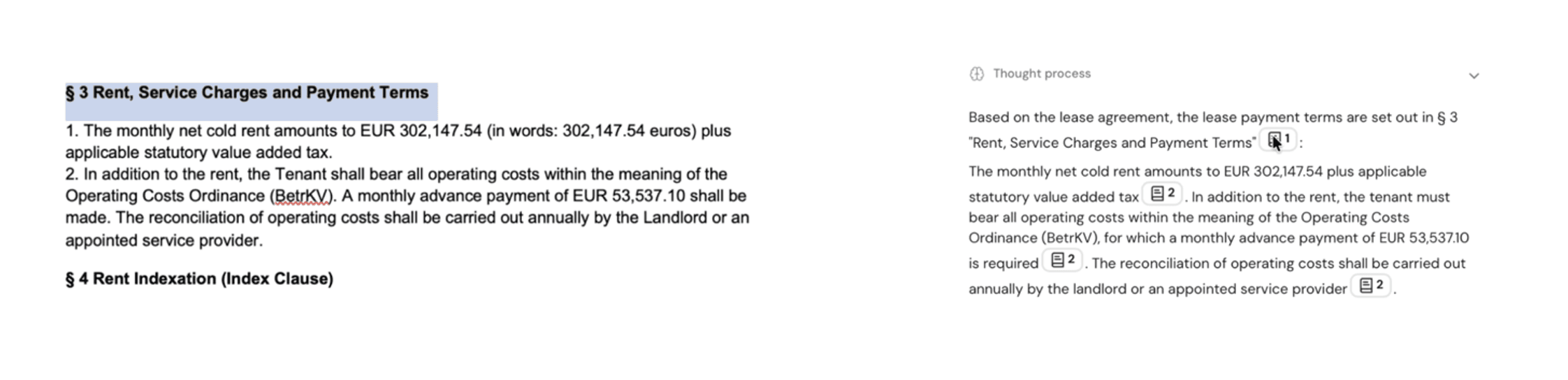
Citations are references that Noxtua adds to its answers in the Word add-in. When an answer references a passage in your current document, Noxtua marks that point with a citation. The citation links the answer to the specific section it originates from, keeping the source just a click away.
How citations work
1. Ask a question. Work in your document as usual and ask Noxtua a question about its content using the Word add-in.
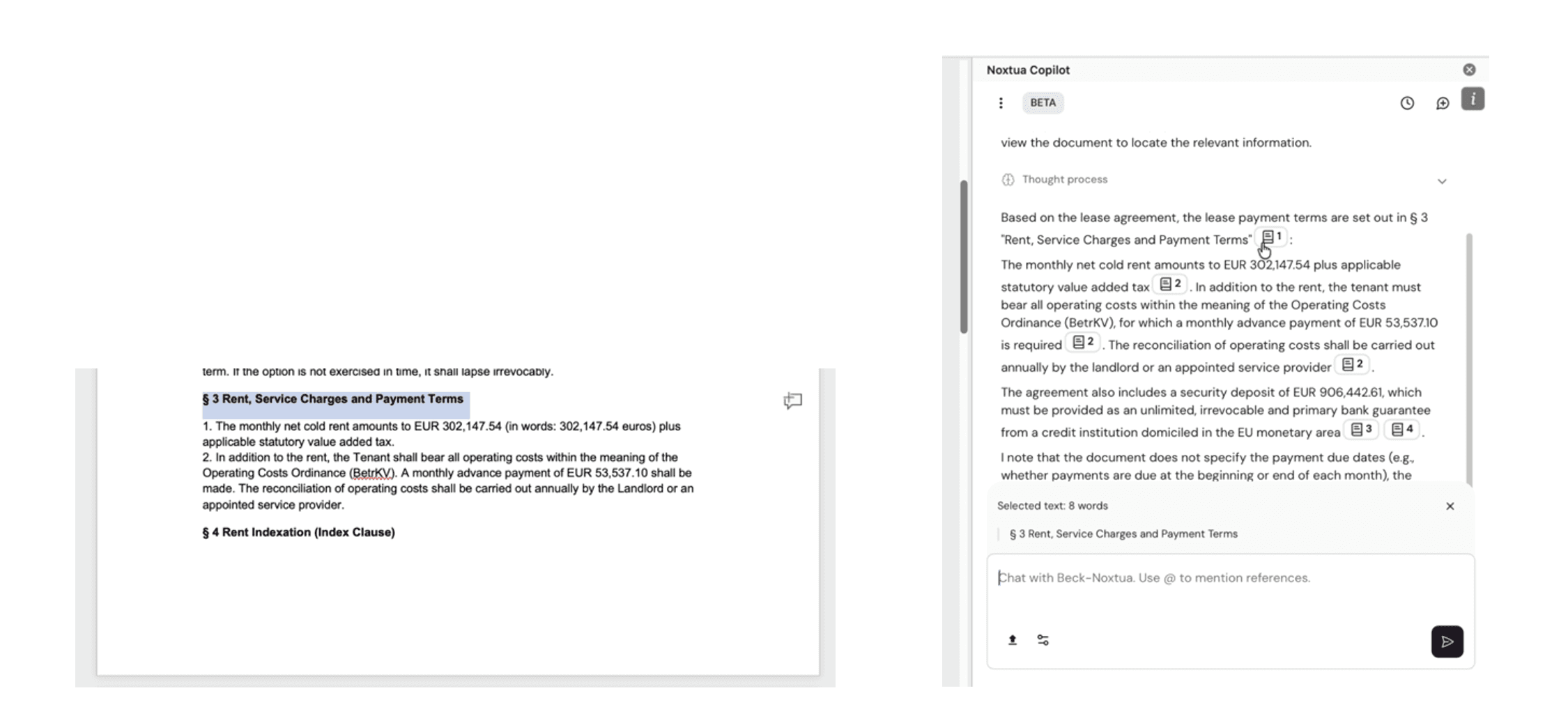
2. Review the answer. Noxtua provides its response with citations at the points that reference your document.
3. Open a citation. Select a citation to move to the relevant section of the document. Noxtua highlights the cited text so you can see exactly what the answer is based on.
4. Verify and proceed. Confirm the point against the highlighted source, then continue with your work.
How you benefit
No manual searching: The source appears for you, so you no longer need to scroll through the document to find the passage behind an answer.
Faster verification: With the highlighted text in place, you can confirm each answer more quickly and keep your review progressing.

Lina Hauschild