From upload to export: Managing your files and chats
These are the ways you can upload documents and export results. Whether it’s uploaded documents, exported chats, or saved prompts; with Noxtua you always keep an overview, streamline your workflows, and ensure your content stays usable for you and your colleagues.
In Beck‑Noxtua you have the ability to upload documents into your chats and export generated results and full conversations. That gives you the flexibility to reuse content directly, document your work, or share it with colleagues.
How to upload a document
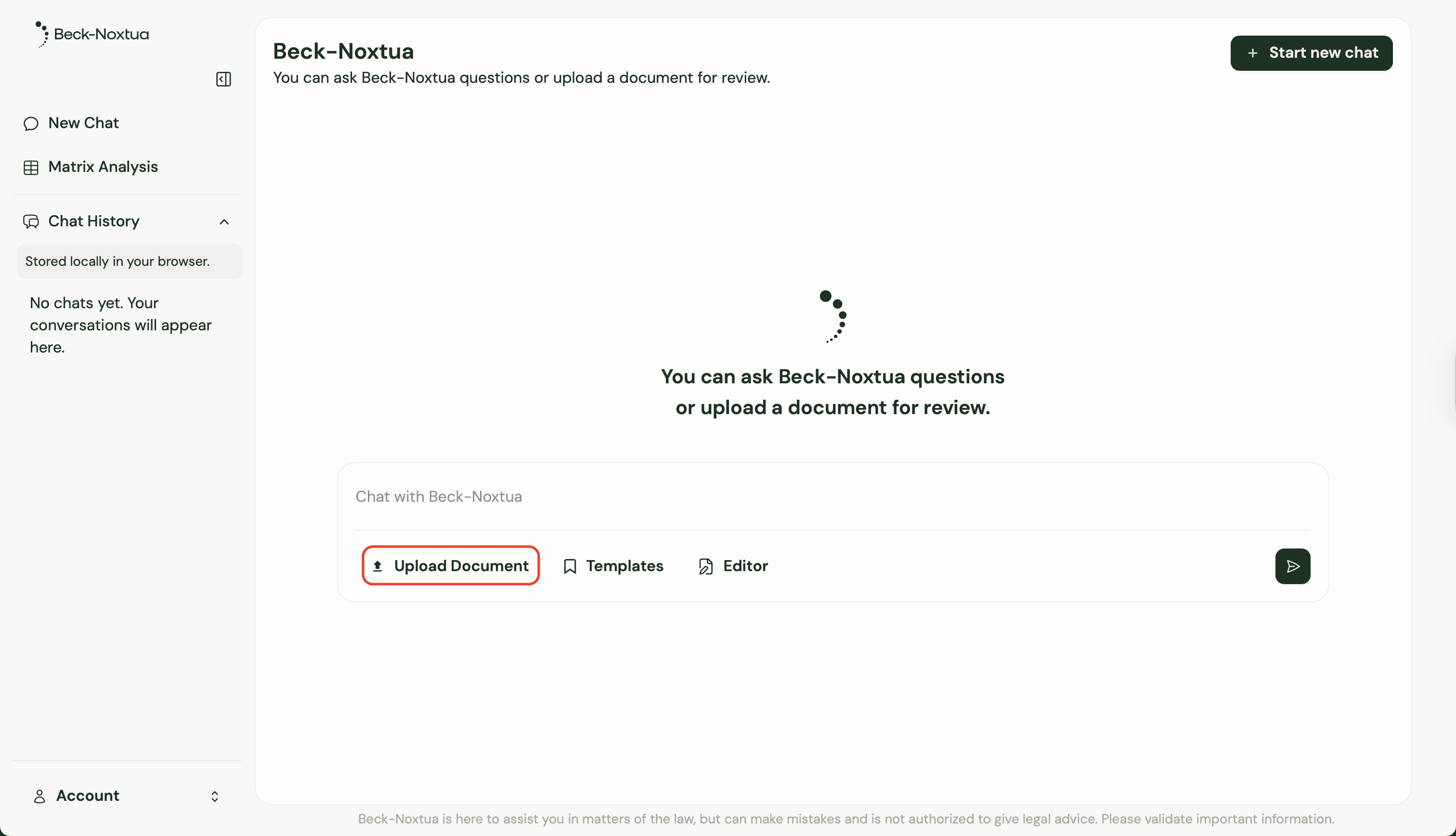
To receive well-informed and accurate answers, you can upload your own files directly into the chat. There are two convenient methods for doing this:
Click the “Upload document” button and choose the file you want (for example PDF, Word, or Excel)
Simply drag and drop the file into the chat.
By uploading documents, you provide Noxtua with additional context, helping to enhance the quality and relevance of the responses you receive.
How to download results
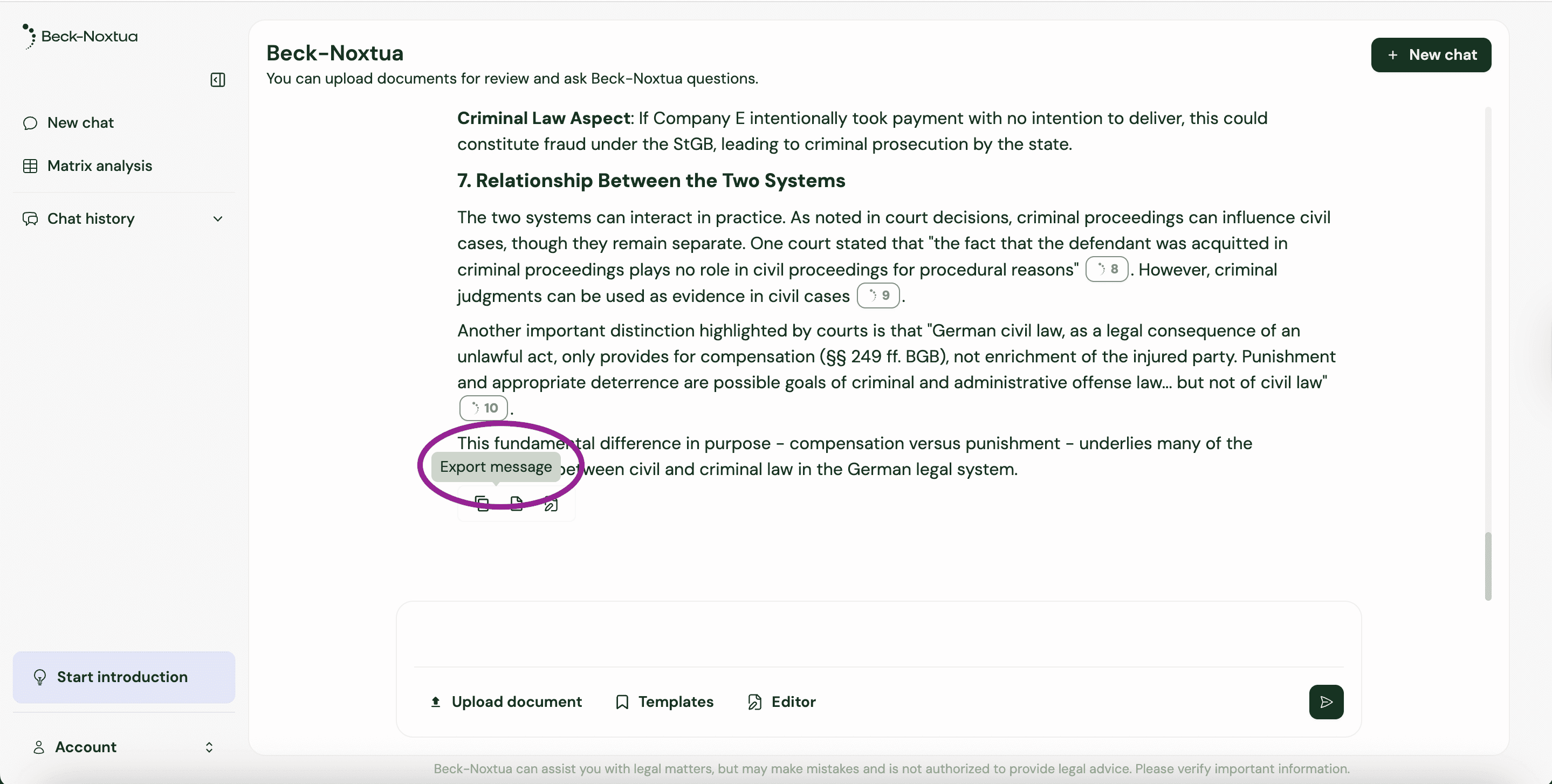
When Noxtua produces a document for you, for example, a summary or an argumentation aid, you can save it directly. Wait until the answer is fully generated, then click the “Download” button in the answer area. The file (in Word .docx format) will be automatically stored in your default downloads folder.
You can also copy individual answers very easily. Just click the icon with two squares to copy the text to your clipboard.
How to export a chat
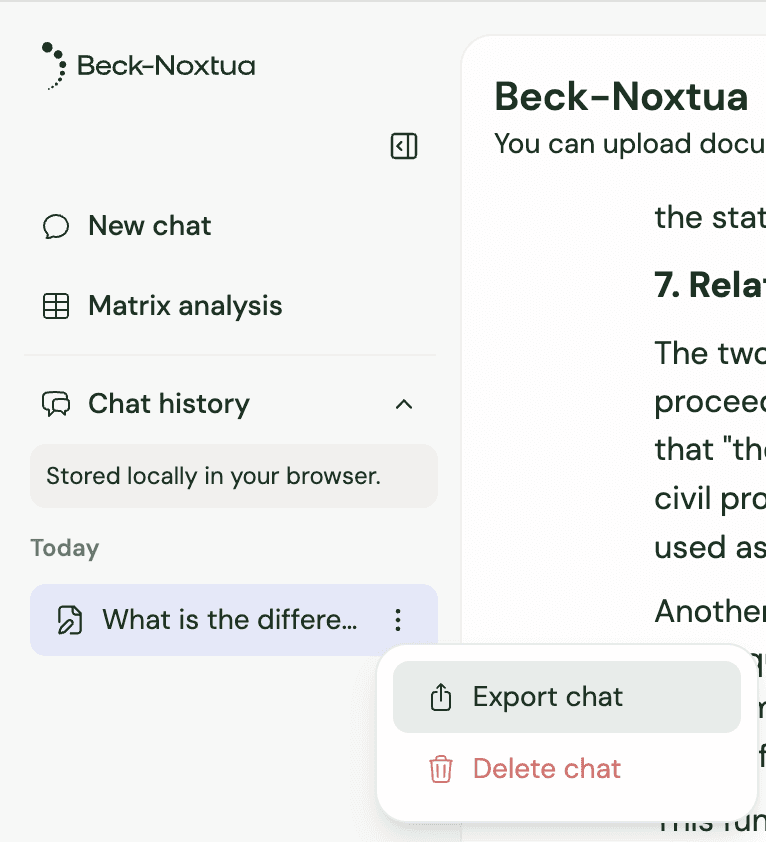
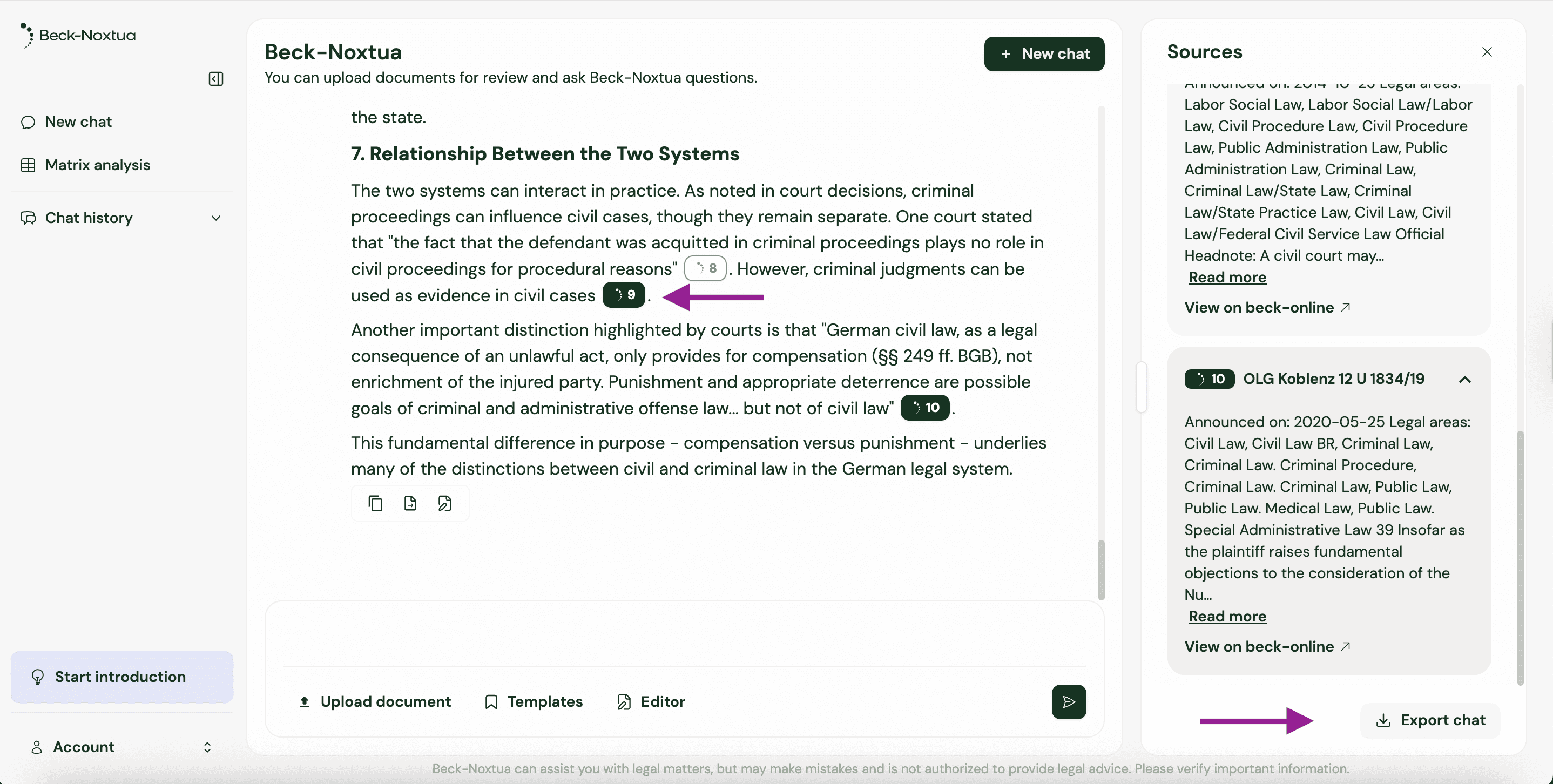
Saving entire conversations with Noxtua is simple, thanks to the local storage of your chat histories in the browser. Here’s how to export a chat:
Open the chat you wish to export from your chat history.
Click the menu icon (⋮) on the right side of the chat window.
Select “Export chat.”
The chat will then be exported as a Word document that includes both your inputs (prompts) and Noxtua’s responses. And the exported file will be saved directly to your downloads folder for easy access.

Petra Zatkova