The Editor: Draft and edit documents
What is the Editor and how can I use it to draft documents from scratch, edit them precisely, and export them for further processing?
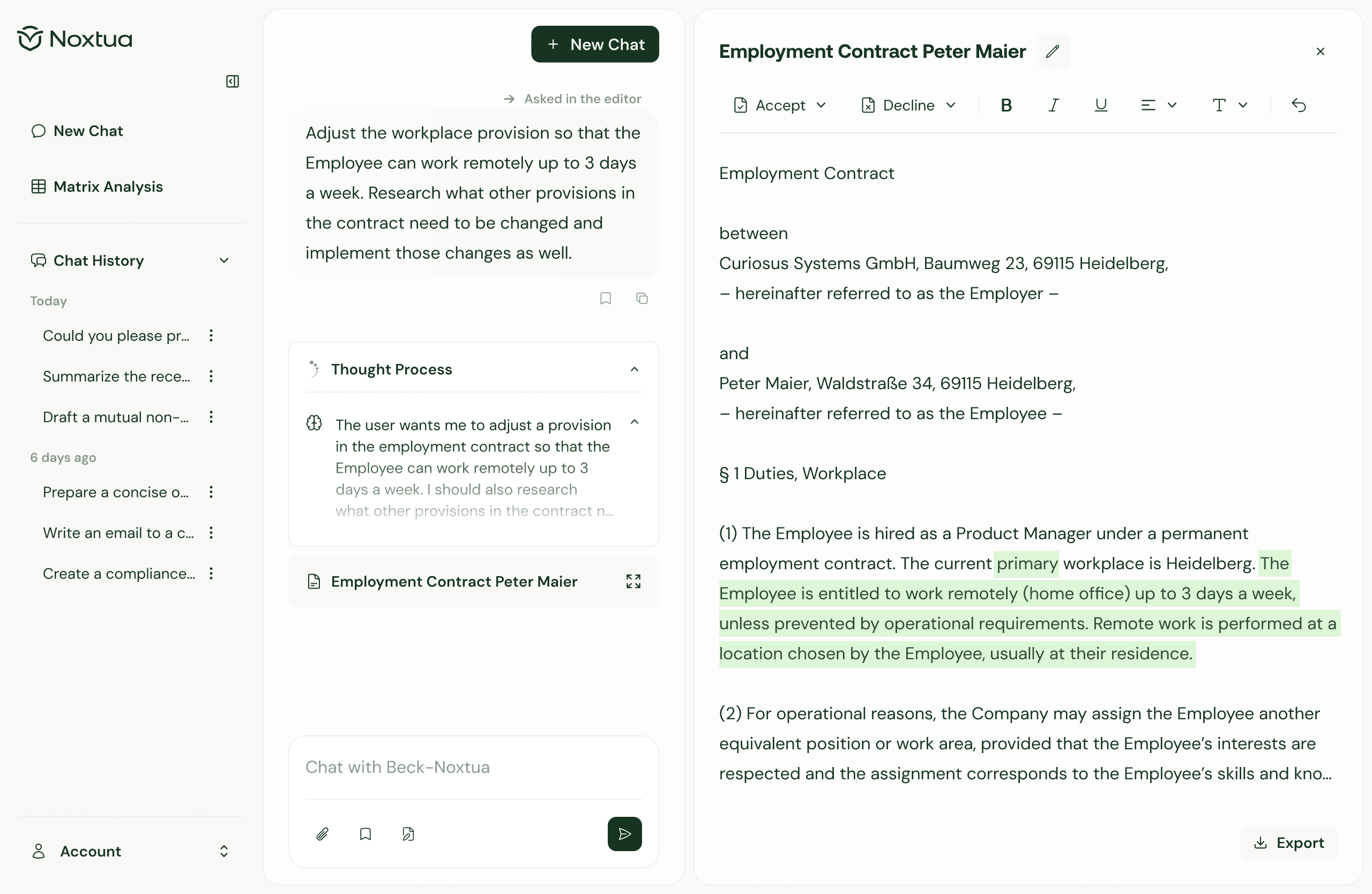
Creating legal documents is an integral part of legal work, but it's also enormously time-consuming: research results need to be structured, initial drafts formulated, and iteratively refined.
The Editor feature in Beck-Noxtua enables you to perform all these steps efficiently in one system. You can create and edit legal texts from scratch in a flexible workspace with AI assistance – ideal for memos, contract drafts, and legal opinions. The result: practical drafts that you can process directly.
What is the Editor?
The Editor is a workspace in Beck-Noxtua that enables you to draft and edit legal documents quickly. In its first version, it is particularly helpful if you want to explore initial ideas, organise unstructured information, or create new documents based on reference materials. Beck-Noxtua provides you with a first draft that you can edit manually or with AI assistance and refine through additional research. All text changes are transparently documented so you maintain full control over your document at all times.
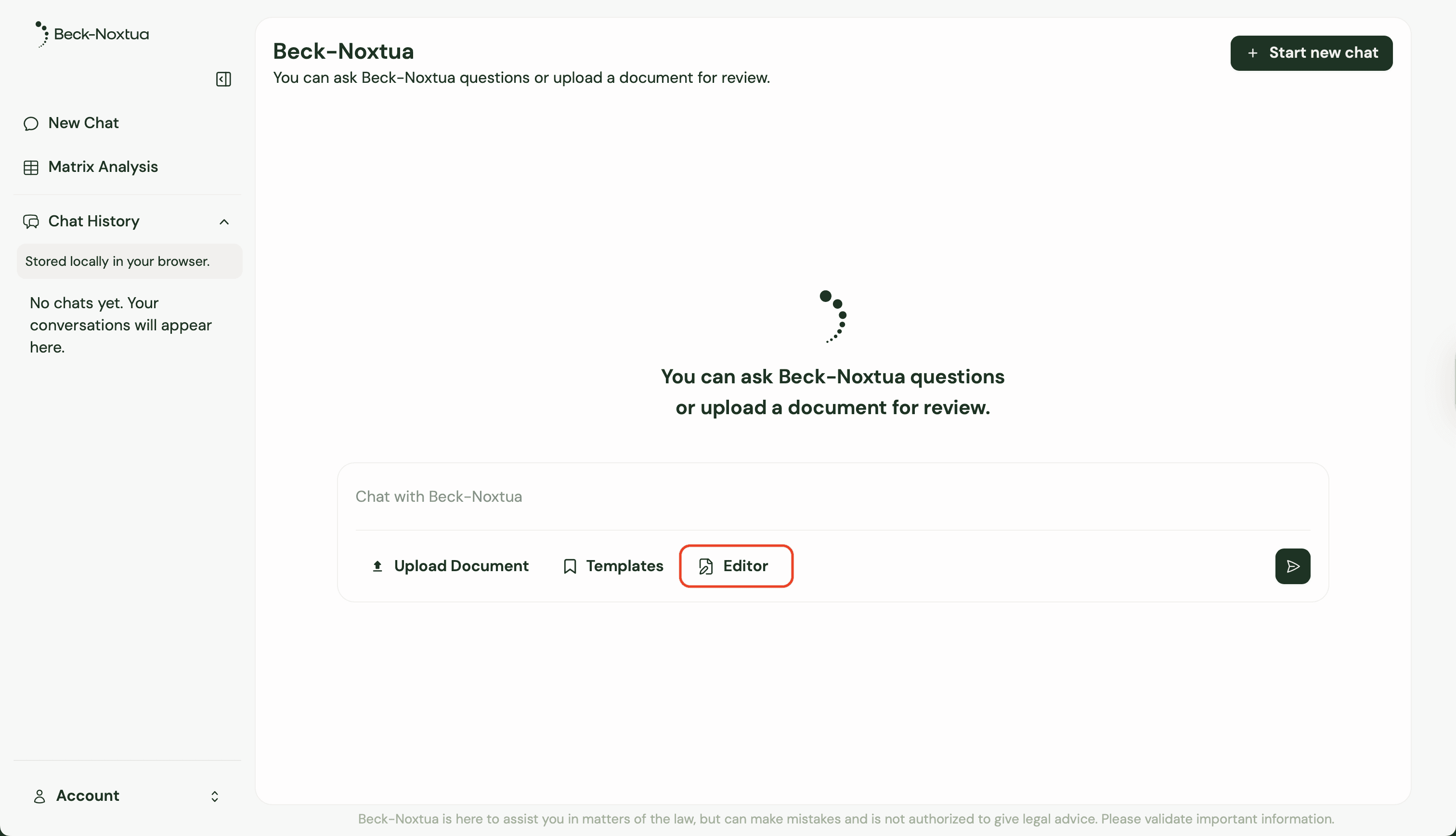
You can open the Editor via the "Editor" button below the input field in the chat.
What can I use the Editor for?
The Editor is versatile and supports you with various tasks:
Transform research results into structured documents
After comprehensive research on a legal topic, the Editor helps you structure the research results as a memo or legal opinion in no time.
Develop initial drafts and document structures
Use the Editor for the explorative development of legal arguments and enrich them with relevant source references. First, create a basic structure and refine it step by step before moving to the final version.
Create documents from scratch
Create drafts based on your specifications and reference materials. Simply enter your instruction as a prompt, upload reference documents or guidelines if needed, and Beck-Noxtua generates an initial draft that you can refine step by step.
Key functions at a glance
Text editing and AI assistance
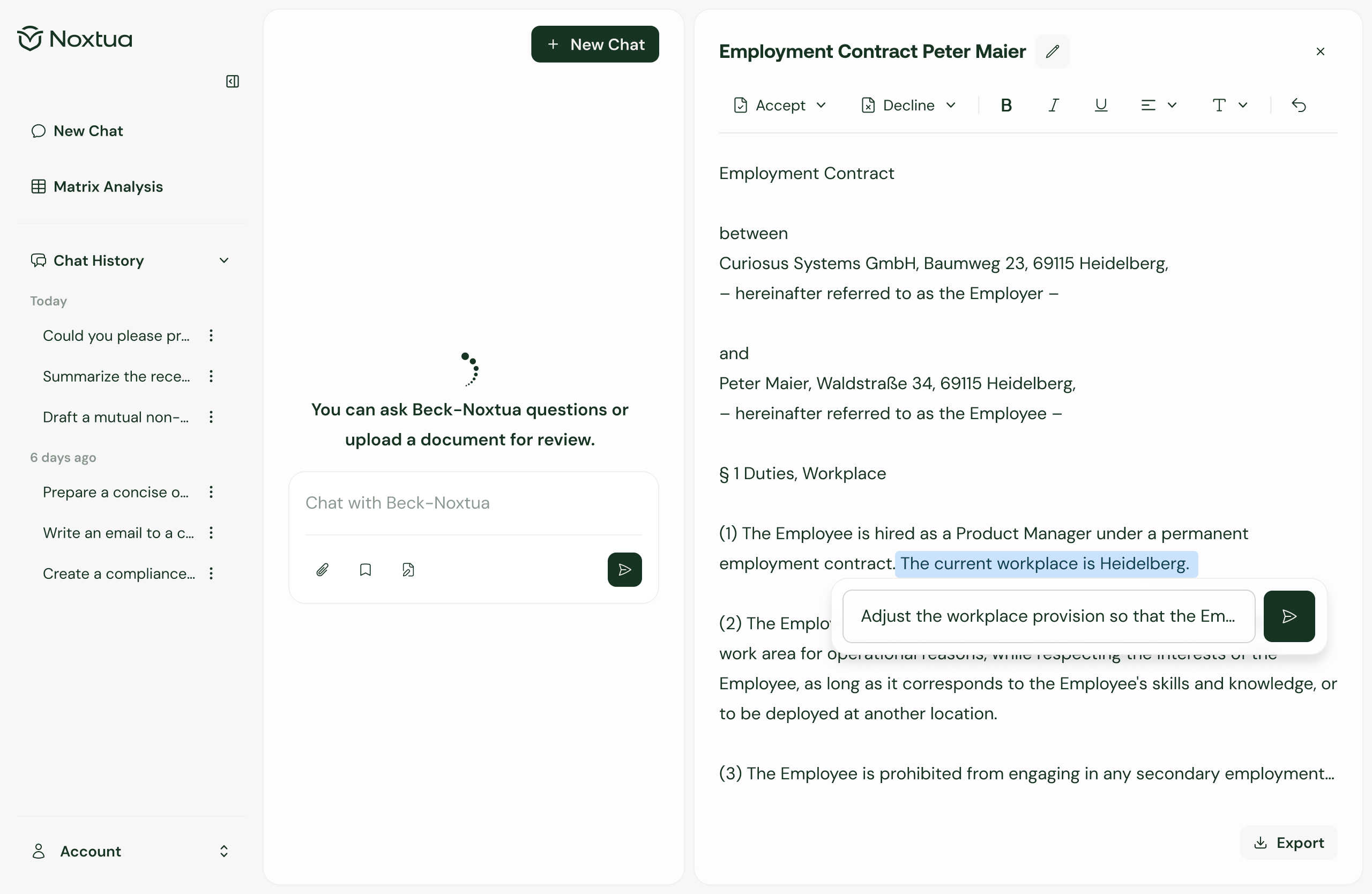
In the Editor, you can edit texts directly. Either make manual adjustments or highlight sections and instruct the AI to modify them or research further legal context.
Suggested changes and change tracking
If you wish, Beck-Noxtua provides concrete improvement suggestions for text passages. You can accept or reject each suggestion, and all changes made are transparently tracked.
Chat integration
While working in the Editor (right window), you can ask questions in the chat (left window) at any time: have clauses explained, ask for a different document structure, or research additional information. Specify in your prompt that the answer should appear in the chat if you don't want direct editing in the Editor.
Export functions
Once your document has reached the desired quality, you can export it for further processing in Word as a .docx file – including all source references.
Step by step: From research to memorandum
This typical use case shows how the Editor can accelerate your work: You've conducted research on a complex legal topic and want to create a structured memorandum from it.
Step 1: Conduct research
First, ask your legal question in the chat and have the AI conduct comprehensive research based on commentaries, journals, handbooks, statutes, and court decisions from beck-online.
Step 2: Open Editor and generate document
After receiving all relevant information, open the Editor. Instruct Beck-Noxtua in the chat to create a structured memorandum based on your research results. The AI analyzes the previous research and creates an initial draft in the Editor.
Step 3: Refine draft
Now the iterative refinement of your document begins. You have several options:
Direct text editing: Rewrite passages yourself and add content manually.
Targeted revision: Highlight individual sections and prompt in the small chat pop-up that opens, which changes you want. Beck-Noxtua now suggests revisions that you can accept or reject.
Additional research: Use the chat to ask further questions, make comprehensive adjustments (e.g., different structure), or research additional legal context.
Step 4: Export document
Once your memorandum is complete in terms of content, you can export it for final processing in Word, including all source references.
Tips for efficient work
Use reference documents: Upload relevant documents that Beck-Noxtua should consider during creation, such as company guidelines or sample documents. The more precise your specifications, the better the generated draft fits your requirements.
Work iteratively: The Editor was developed for an iterative work process. First, create a basic structure, then refine individual sections step by step with AI assistance.
Open research results in the Editor: After you conducted research, you can summarize the results in the Editor and continue working on them. This turns your research into a document draft without having to manually transfer information.
Conclusion: Your workspace for legal document creation
The Editor in Beck-Noxtua is your central workspace for creating and working on legal documents. It enables you to focus on the content while Beck-Noxtua supports you with research, structuring, and formulation. The seamless integration of text editing, AI assistance, and research functions accelerates your work – from the initial idea to the document draft that you can then export.

Dennis Engelhard